


Finance teams in 2026 face a reality that would have seemed chaotic a decade ago. Your AP clerk works from Austin while your CFO approves payments from Berlin, and your suppliers send invoices in five currencies from three continents. Manual invoice processing simply cannot keep pace with this distributed, always-on business environment.
Automatic invoice processing uses software to handle the end-to-end receipt, management, and payment of vendor bills, significantly reducing the time and labor involved compared to manual processing. Think of it as a digital assembly line: invoices arrive via email, supplier portal, or even scanned paper, and software captures the data, validates it against your records, routes it for approval, and schedules payment—all with minimal human intervention.
The immediate value is substantial. Organizations implementing invoice processing automation typically see 60-80% faster cycle times, with same-day approvals replacing week-long email chains. According to industry benchmarks from the Institute of Finance & Management (IOFM), the average manual invoice cost sits around $15 while automated processing drops that to roughly $3. Error rates fall from 4-5% with manual data entry to under 1% with AI-powered extraction.
Better cash flow control follows naturally. When you can process invoices in hours instead of days, you capture early payment discounts that manual processes miss. Deloitte’s 2025 accounts payable report found that automated AP teams capture 75% more early payment discounts than their manual counterparts.
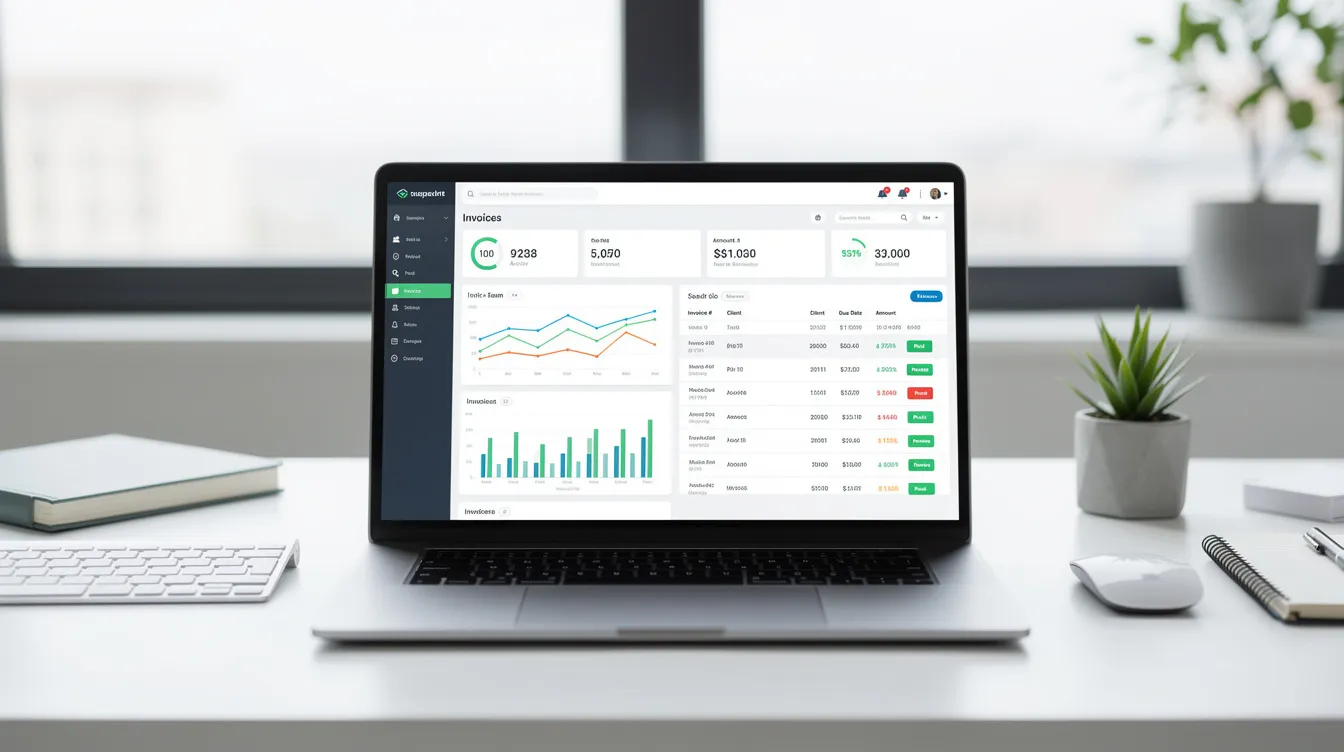
For teams already living in Telegram for daily communication, tools like Mira at mira.tg can act as an AI front-end for AP workflows. Instead of forcing managers to log into yet another portal, Mira can send invoice summaries, approval prompts, and payment reminders directly in chat—while your core invoice data stays secure in your accounting or ERP system.
What Is Automatic Invoice Processing?
Automatic invoice processing encompasses the full journey an invoice takes from arrival to archive. It includes capture from various channels, data extraction using AI, validation against internal records, matching to purchase orders, approval routing, payment execution, and compliant archiving. Unlike basic invoice automation that might only handle generation or emailing, automated invoice processing software manages the entire procure-to-pay cycle with rule-based and AI-assisted touchless operation.
The terminology can get confusing. Invoice automation typically refers to any software that speeds up invoice handling. AP automation software focuses specifically on accounts payable workflows—entry, approval, and payment. Intelligent document processing (IDP) is the AI and machine learning subset that excels at extracting data from unstructured formats like PDFs and scanned documents. In practice, IDP powers the capture and validation stages within broader AP automation suites.
Consider a concrete 2026 example. A German supplier emails a multi-page PDF invoice on January 15th with detailed VAT information. Within minutes, OCR and IDP extract the vendor ID, line items (100 units at €50 each with 19% VAT), and match the invoice to PO #12345. The system flags a 2% price variance—within your configured tolerance—auto-codes the expense to GL account 5100, and schedules a SEPA payment for the net-30 due date. No human touched the invoice.
The technologies making this possible have matured significantly. Invoice automation software reads, analyzes, and captures invoice data, which is then uploaded to an accounts payable system and matched with relevant purchase orders and receipts. Optical character recognition now achieves 99%+ accuracy on common invoice formats. Machine learning models from providers like Rossum report 98% first-pass accuracy on line items. API integrations connect seamlessly with ERPs like NetSuite (via SuiteTalk APIs), Xero (OAuth2), and QuickBooks Online (REST APIs), while payment rails include ACH via NACHA standards, SEPA Credit Transfer for EU transactions, and UK Faster Payments for real-time settlement under two seconds.
How Automated Invoice Processing Works – Step by Step
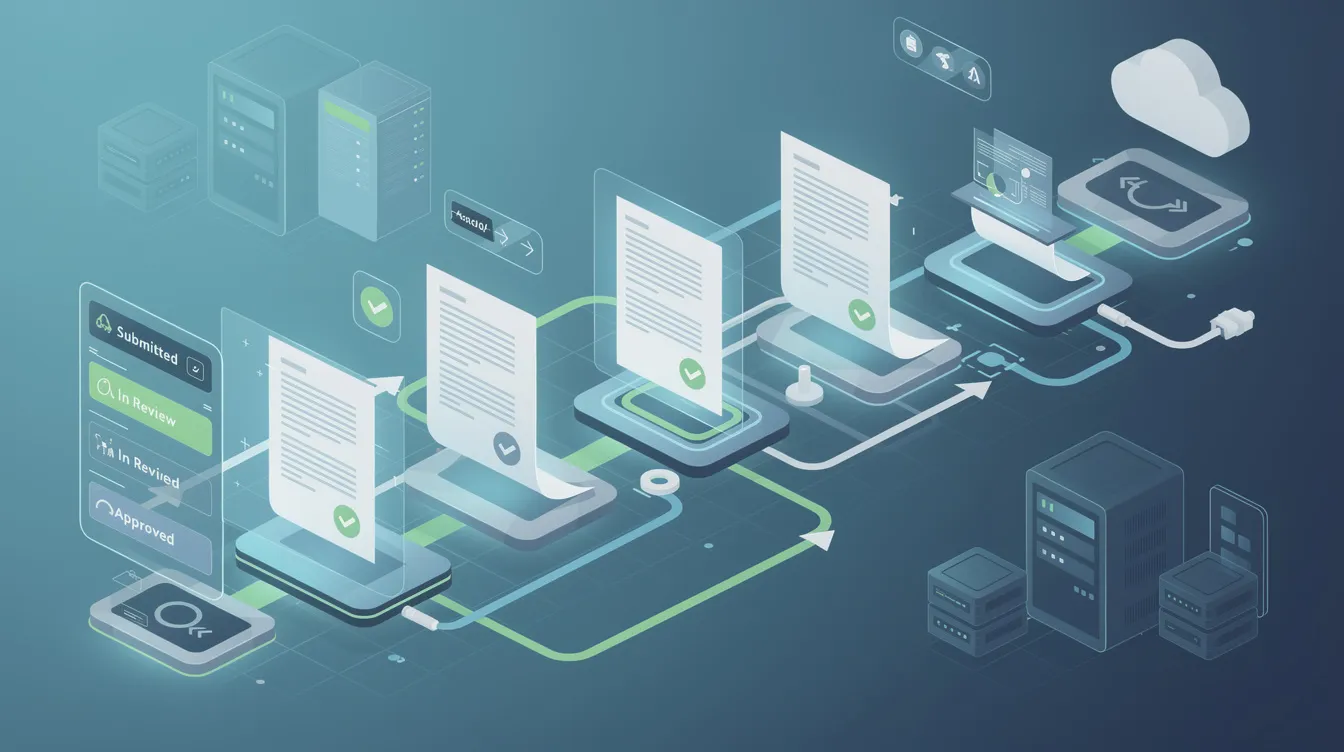
Understanding the invoice processing workflow helps you see where automation eliminates manual touchpoints. For 2026-era finance teams managing distributed operations, the typical procure-to-pay cycle involves seven distinct stages, each presenting opportunities for automation.
Centralization involves automatically collecting invoices from various sources into one system. Invoice intake channels include email (with IMAP polling for PDF attachments), supplier portals (API pulls from platforms like Coupa or Ariba), electronic invoices in PEPPOL XML or EDI formats, and scanned paper via mobile apps. All incoming invoices funnel into a unified queue with metadata tagging for origin, date, and supplier. This eliminates the “lost invoice” problem that plagues manual processes.
The automated invoicing process begins when a company receives a vendor invoice, which is then scanned using optical character recognition technology to extract relevant data for processing. AI-powered capture employs a hybrid approach: basic OCR converts pixels to text, machine learning classifies fields (header information like invoice number, date, and vendor; line items including quantity, description, price, and tax), and confidence scores determine next steps. Invoices with confidence above 95% proceed automatically, while those below 80% get flagged for human review. The system extracts currency rates from ECB APIs, PO references, tax codes (like VAT MOSS for EU cross-border transactions), and cost centers.
Automated invoice processing typically involves a series of predetermined checks or rules that verify invoice data against purchase orders and other relevant documents before approval and payment. Validation automates checks for vendor master matches (verifying DUNS numbers), duplicates via fuzzy matching on invoice number, amount, and date, GL coding per your rulesets, and tax compliance including EU VAT reverse charge detection and Australian GST validation.
Two-way and three-way matching techniques are used to confirm the accuracy of invoices against purchase orders and goods receipt notes. Two-way matching compares invoice to PO for quantity and price within configured tolerances (typically 3-5% for logistics spend). Three-way matching adds the goods receipt note to the comparison. For example, if an invoice shows 950 widgets while the PO specified 1000 and the GRN recorded 960 received, the system flags this partial receipt for pro-rata approval rather than halting everything.
Approval routing for invoices can be automated based on predefined rules such as department or project. Auto-approval applies rules like “under $1,000 approved by department head” or “under $10,000 requires CFO sign-off,” while low-risk vendors with clean history get auto-approved for payment. An automated system can detect discrepancies in invoices and flag them for manual review instead of halting the process entirely. Exceptions route via push notifications to Slack, Microsoft Teams, or Telegram—where Mira enables quick “approve INV-456? Y/N” interactions in group chats with attached summaries.
Payment scheduling batches approved invoices by due date and optimizes for early payment discounts (capturing those 2/10 net 30 terms). The system integrates with banks for ACH runs, virtual cards through providers like American Express @Work, or international wires. Positive pay controls prevent fraud by verifying payment details before execution.
Everything ends with compliant archiving. The system stores immutable records with blockchain-like audit trails including timestamps, IP logs, approver IDs, and change histories. These records remain queryable for 7-10 year retention requirements under SOX and GDPR, ready for audits via AI-powered search.
Why Manual Invoice Processing Has to End
Manual AP processes impose quantifiable pain on finance teams. IOFM 2025 benchmarks peg the average manual invoice cost at $15-$20 (roughly 3.5 hours of labor at $45/hour plus overhead) versus $2-$5 for automated invoice processing. Cycle times stretch to 10-14 days manually compared to 1-3 days automated—that’s an 80% reduction according to AvidXchange data.
The 2026 business environment amplifies these challenges. Hybrid teams chase lost emails across inboxes spanning multiple time zones. International suppliers demand compliance with mandates like France’s mandatory e-invoicing (effective 2026), Mexico’s CFDI 4.0 XML requirements, and the EU’s ViDA framework. Fraud exposure keeps climbing—the Association of Certified Fraud Examiners (ACFE) 2025 report shows AP fraud up 25% year-over-year.
Common manual failure modes destroy value daily. Lost emails mean invoices sit unprocessed for weeks. Rekeying errors from manual data entry cost mid-sized firms $100,000+ annually. Duplicate payments occur at a 0.5% incidence rate with an average loss of $50,000 per company. Unauthorized spend slips through via fabricated POs. And businesses capture only 25% of eligible early payment discounts because approval cycles take too long, according to Ardent Partners research.
The statistics paint a grim picture. A Pymenta 2026 survey found 39% of late payments stem from manual processing delays, with 22% error rates in manual data entry. 61% of late invoice payments in the US are attributed to invoicing errors, highlighting the significant impact of manual processing on payment timeliness. Automated invoice processing can provide significant advantages over manual methods, such as reducing processing time and cutting error rates.
The human toll matters too. AP clerks spend their days in copy-paste purgatory, moving data from emails to spreadsheets to accounting systems, forgoing the analytical work that actually adds value. One mid-sized SaaS company discovered they were losing $20,000 monthly in missed early payment discounts simply because invoices sat in manager email queues awaiting approval.
Chat-based approvals address the manager bottleneck directly. When Mira delivers invoice summaries in Telegram—where managers already communicate—approval times drop from 48 hours to 15 minutes. No portal login required, no app to download, just a quick decision in the flow of existing work.
Benefits of Automated Invoice Processing
The benefits of automated invoice span efficiency, cost reduction, control enhancement, and improved experience for both employees and vendors. Let’s examine each dimension.
Faster cycle times represent the most visible improvement. Manual processes that once took 5-10 days now complete in hours or same-day. Businesses can reduce invoice processing times by up to 85% and lower costs by more than 75% with automation. Stripe’s internal analysis showed 70% reduction in cycle times after implementing auto-routing.
Lower cost per invoice delivers direct bottom-line impact. Companies that implement automated invoice processing can save up to 80% in costs associated with manual processing, including labor and material expenses. IOFM data shows processing costs dropping from $15+ to under $3, with savings scaling alongside invoice volume.
Reduced error rates protect against costly mistakes. Automated systems significantly improve accuracy by minimizing human error in data entry, which helps in automatically matching invoices against their corresponding purchase orders and verifying details. AI-driven extraction achieves 99% accuracy compared to 4% error rates with manual entry, minimizing dollar discrepancies that require investigation and correction.
Minimized fraud risk protects company assets. By minimizing manual data entry and automating workflows, invoice automation reduces the risk of errors and fraud, leading to fewer discrepancies and financial losses. Three-way matching combined with anomaly detection (ML models flag 20% of invoices with unusual patterns) cuts AP fraud by 60% according to Deloitte research. AI-driven systems are better at detecting anomalies and duplicate billing than human reviewers alone, aiding in fraud prevention. Automated invoice processing systems can flag unusual billing patterns before invoices are sent, helping to catch potential errors early and reduce incorrect charges.
Real-time visibility transforms financial planning. Real-time dashboards provide finance leaders with visibility into outstanding liabilities and spending patterns. You can forecast that $2.5M is due next week, receive alerts for at-risk payments, and track vendor performance over time. This transforms AP from a black box into a strategic planning tool.
Compliance assurance reduces audit anxiety. The system automatically handles VAT, GST, and other tax regimes, retains logs for 10+ years, and maintains SOC2/ISO compliant records. When auditors arrive, you pull reports in minutes rather than spending weeks gathering documentation.
Team satisfaction improves retention. Automation significantly reduces the time it takes to process invoices, allowing accounts payable staff to focus on higher-value tasks and improving overall productivity. Automated invoice processing can reduce operational costs by eliminating the need for manual data entry and review, allowing staff to focus on higher-value tasks. Surveys show 40% higher retention in automated AP teams compared to manual environments—people prefer analysis over data entry.
Conversational interfaces boost adoption further. When approvals, escalations, and Q&A happen in familiar tools like Telegram through Mira, training requirements drop by 50%. Asking “What’s the variance on INV-789?” in chat feels natural, not system-heavy.

Key Features to Look for in Automatic Invoice Processing Software
For 2026 SMB and mid-market buyers evaluating invoice automation software, this buyer’s checklist covers the essential capabilities your invoice processing software needs.
Multi-format invoice capture forms the foundation. The right invoice automation software handles email attachments, PDFs, XML, and EDI with 98%+ OCR accuracy via intelligent document processing. Look for line-level extraction that captures not just header information but individual line items with quantities, descriptions, unit prices, and tax codes. Configurable business rules let you map vendor patterns to specific GL accounts automatically.
Matching capabilities determine how much manual work remains. Robust 2-way and 3-way matching with configurable tolerance settings (percentage or absolute dollar thresholds) catches discrepancies while avoiding false positives. Automatic duplicate invoice detection via ML-based hashing prevents the costly duplicate payments that manual processes miss. Support for partial receipts and credit memos handles the complexity of real-world procurement.
Workflow tools orchestrate the approval process. Dynamic approval routing by amount, department, project, and vendor hierarchy ensures the right people review the right invoices. Deadline-based automatic payment reminders escalate aging approvals before they miss discount windows. Exception handling paths specify who resolves specific issue types.
Integration breadth determines implementation complexity. Seamless connections to accounting systems like Xero, QuickBooks, NetSuite, SAP, and Microsoft Dynamics eliminate manual data transfer. Payment gateways supporting ACH, SEPA, and wire transfers enable automated payment execution. Integration with collaboration tools like Slack, Microsoft Teams, and Telegram (via Mira) extends approvals into the tools your team already uses.
Compliance and security protect your organization. Role-based access control and SSO/SAML ensure only authorized users see and approve invoices. SOC 2 Type II certification and ISO 27001 compliance demonstrate security maturity. Data residency options address GDPR and regional requirements. Comprehensive audit trails with log retention policies support regulatory requirements across jurisdictions.
Analytics reveal AP performance. Out-of-box dashboards track key metrics including cycle times, cost per invoice, exception rates (target under 5%), early payment discount capture (aim for 80%), and vendor performance scores. Cash flow forecasting integrates invoice due dates with payment timing to predict outflows accurately.
Top Use Cases and Scenarios for Automatic Invoice Processing
Impact from invoice management automation varies by industry, invoice volume, and operational complexity. These scenarios illustrate how different organizations benefit.
A 40-person SaaS company in 2026 handles 300-500 invoices monthly for software subscriptions, contractors, and marketing spend. Before automation, the finance coordinator spent three days per week on invoice management—downloading PDFs from email, keying data into QuickBooks, chasing managers for approvals via Slack DMs. After implementing automated invoice capture with vendor validation and auto-coding for common expense categories, processing time dropped to four hours weekly. Mira delivers approval prompts directly to the VP of Operations in Telegram: “INV-892 from AWS: $4,200 cloud hosting, matches historical spend—approve?” A tap and it’s done.
A regional manufacturing firm processes thousands of monthly PO-based invoices for raw materials. Their challenge: verifying that invoiced quantities and prices match both what was ordered and what was actually received at the warehouse. Three-way matching with configurable tolerances (5% for commodity steel where prices fluctuate) reduced overbilling incidents by 30%. Before automation, fabricated receipt notes enabled $150,000 in annual fraud. After: real-time GRN synchronization catches discrepancies before payment scheduling.
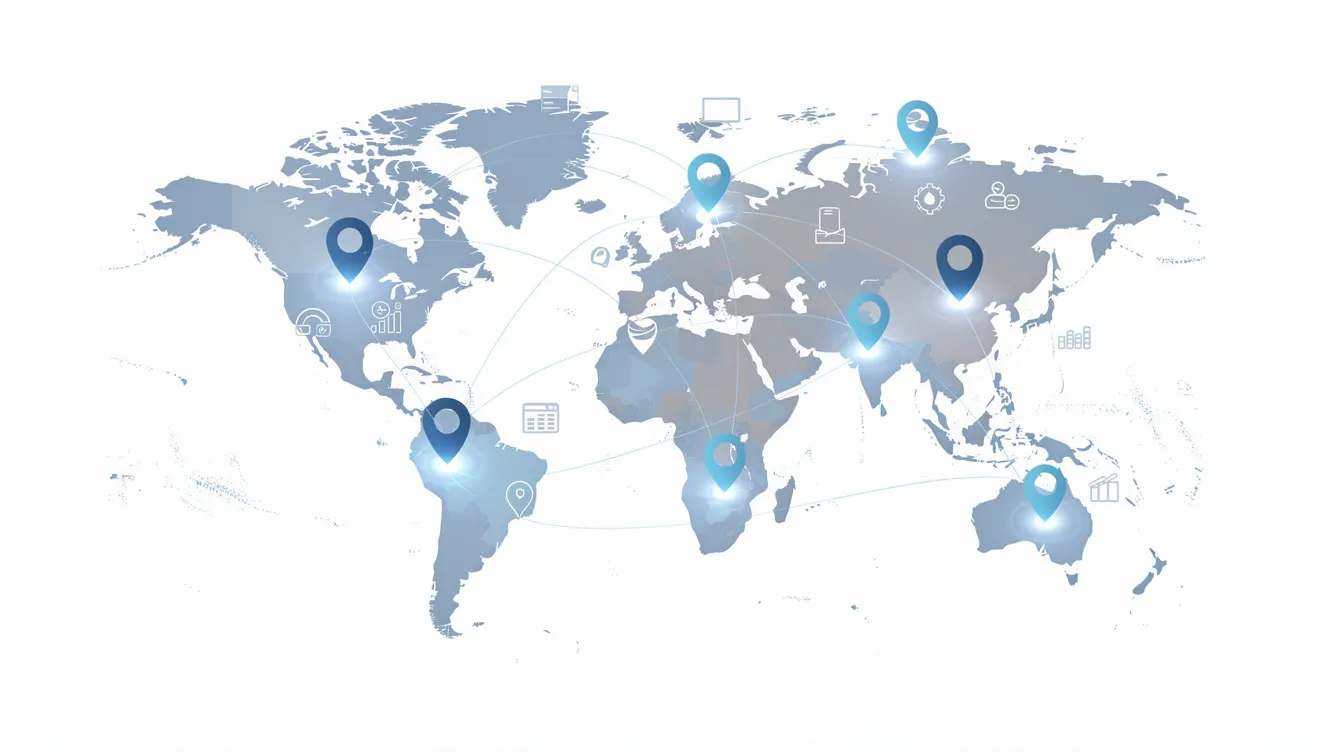
A globally distributed e-commerce brand pays suppliers across Asia, Europe, and the Americas. Invoice formats vary wildly—some suppliers send digital invoices via email, others use regional portals, and a few still mail paper invoices to the European headquarters. Multi-currency support with automatic FX rate pulls from XE.com eliminated the 2% error rate from manual currency conversion. VAT/MOSS handling for EU cross-border transactions and local tax compliance for each region became automatic. SEPA and wire payment scheduling across time zones ensures timely payments without 3 AM payment runs.
A professional services agency bills clients by project and needs invoice expenses allocated to specific client accounts for margin tracking. Automated GL and project coding maps vendor names and invoice descriptions to the correct client-project combinations. When disputes arise about whether an expense belongs to ClientX or ClientY, the team hashes it out in a Telegram group chat. Mira summarizes the invoice details and records the final allocation decision, syncing back to the AP platform.
Across all these scenarios, Telegram-native agents like Mira overlay whichever AP platform the organization chooses. The core invoice data lives in the accounting system; Mira provides the conversational interface that makes approvals, queries, and exception handling feel natural.
6 Core Invoice Processing Tasks You Should Automate First
Even partial automation yields significant gains. Focus on these quick wins to automate invoice handling progressively.
Task 1 – Invoice capture. Auto-collecting invoices eliminates the “lost email” problem entirely. Set up a dedicated email address (invoices@yourcompany.com) that your AP automation solution monitors via IMAP. Configure API connections to major supplier portals. For legacy paper invoices, provide mobile scanning apps that upload directly to the processing queue. This can be operational within your first week, achieving 100% centralization of incoming invoices.
Task 2 – Data extraction. AI-based OCR reads PDFs and images, mapping fields to your accounting software automatically. Vendor name, invoice number, date, line items, quantities, prices, tax amounts, and payment terms all flow into structured data without manual typing. This single capability reduces data entry effort by 95%. Machine learning models improve accuracy over time as they learn your specific vendor invoice templates.
Task 3 – Vendor and duplicate checks. Automatic validation against your vendor master data catches invoices from unknown suppliers before payment. Fuzzy matching algorithms detect duplicate invoices even when invoice numbers differ slightly—preventing the 0.5% duplicate payment rate that costs organizations thousands annually. The system flags matches for quick human verification rather than letting them slip through.
Task 4 – PO and receipt matching. Automated checks compare invoiced quantities and unit prices against purchase orders and delivery confirmations. Rules specify acceptable tolerances (3% for standard goods, 5% for commodities with price volatility). Mismatches route to procurement for investigation rather than proceeding to payment. This represents the core fraud prevention mechanism in automated invoice processing systems.
Task 5 – Approval routing and reminders. Rules route invoices to budget owners based on amount thresholds, department, vendor category, or project code. Automated workflows include deadline-based escalations—if a manager hasn’t acted within 48 hours, their supervisor gets notified. Chat-based nudges via Mira in Telegram cut approval times dramatically: “You have 3 invoices pending approval totaling $12,400. Review now?”
Task 6 – Payment scheduling and reconciliation. Automating payment runs on specific days (weekly ACH batches, monthly wire runs) ensures consistency and captures early payment discounts. The system syncs payment status back into the ledger automatically, eliminating manual reconciliation. Recurring invoices from subscription vendors can proceed through the entire cycle without human intervention.
How to Implement Automatic Invoice Processing in 2026 (Step-by-Step)
A practical rollout typically spans 6-12 weeks for SMEs and mid-market firms. This implementation framework gets you from evaluation to production efficiently.
Step 1 – Map your current AP workflow. Document existing steps, roles, systems, and pain points before selecting any tool. Quantify baseline key metrics through a 50-invoice sample audit: current invoice processing time (typically 10+ days manual), cost per invoice ($12-$20), and error rate (3-5%). These baselines prove ROI later.
Step 2 – Clean and centralize data. Vendor master cleanup typically reveals 20% duplicate or outdated records. Standardize vendor email addresses and banking details. Review your chart of accounts for consistent GL coding. Clarify your PO process—automation magnifies any existing process ambiguity. Data integrity challenges can lead to errors, delays, and frustration in automated invoice processing, as inaccurate or incomplete data can thwart automation efforts.
Step 3 – Select your core AP automation platform. Evaluate based on feature fit (does it handle your invoice formats and volumes?), integrations (does it connect to your ERP system?), regional regulations (can it manage EU e-invoicing mandates?), and budget ($5-$20 per invoice is typical). Cloud-first tools are strongly preferred in 2026 for remote team access and continuous updates.
Step 4 – Design automation rules and approval flows. Specify dollar thresholds (under $5,000 auto-approved by department head), department hierarchies, cost center mappings, and exception paths. Align these rules with internal controls and audit requirements. Document everything—auditors will ask.
Step 5 – Integrate with accounting/ERP and communication tools. Connect your invoice processing automation software to your finance system for seamless data flow. Set up chat-based notifications and approvals in Telegram via Mira, extending AP functionality into existing communication workflows. Integration issues can arise when modern invoice automation systems are connected with preexisting software, particularly if legacy systems are involved, leading to implementation delays and additional costs.
Step 6 – Pilot, test, and iterate. Run a 4-6 week pilot with a limited set of 10 vendors and one or two departments. Test edge cases including credit memos, multiple currencies, and partial receipts. Target 95% successful processing in the pilot before expanding.
Step 7 – Train teams and roll out company-wide. Focus on simple, role-specific training—approvers need different knowledge than AP clerks. Plan for 1 hour per user for core training. Mira can answer “how do I approve this?” questions directly in Telegram, reducing support burden.
Step 8 – Monitor KPIs and continuously improve. Track metrics monthly: aim for 50% cycle time reduction initially, expanding to 80% over six months. Exception handling in automated invoice processing can require significant time and resources, especially if a high number of invoice exceptions occur due to errors or data discrepancies, potentially leading to delays in processing. Refine tolerance rules after the first 60-90 days of data. Expand automation scope progressively—perhaps starting with non-PO invoices before tackling PO-based processing invoices.
How AI and Chat-Based Agents (Like Mira) Enhance Invoice Automation
By 2026, conversational AI layers have become standard additions to traditional AP automation tools. These agents don’t replace your core AP automation solution—they make it more accessible and intelligent.
AI models improve data extraction accuracy over time by learning from corrections. When someone fixes a misread vendor name or unusual tax layout, the system incorporates that feedback. Organizations see 2% monthly accuracy gains in the first year, eventually reaching 99.5% first-pass extraction on familiar invoice formats.
Conversational approvals transform the manager experience. Instead of logging into a finance portal, managers receive invoice summaries in Telegram through Mira: “INV-456 from Acme Logistics: $2,300 for shipping services, 98% PO match, tax validated—approve?” They can ask clarifying questions (“Show me the line items” or “What was our last invoice from this vendor?”) and approve or deny without leaving the chat. Decisions sync back to the AP platform via secure API.
Mira maintains long-term memory of vendor preferences, typical amounts, and approval patterns. When something looks unusual—“This vendor averages $1,000 invoices, but this one is $5,000”—the agent flags it proactively. Over time, it suggests routing changes based on observed patterns, helping refine your automated workflows.
Group chat intelligence enables collaborative invoice resolution. Project or cost-center groups can discuss disputed invoices, attach context (“This covers the emergency shipment from last Tuesday”), and resolve allocation questions directly in chat. The system records these discussions as part of the audit trail while syncing final decisions back to AP.
Security remains paramount. Data minimization means Mira accesses only the invoice summary information needed for approvals. Core financial data stays in your accounting systems. Tokenized authentication and role-based access ensure only authorized users can approve invoices. Sensitive payment details never leave your secure infrastructure.
Choosing the Right Automatic Invoice Processing Solution
This vendor evaluation framework helps finance leaders and founders navigate the selection process systematically.
Start by segmenting requirements. Company size matters: SMBs often find success with solutions like Bill.com while mid-market firms may need Coupa’s enterprise scale. Invoice volume determines ROI—500+ monthly invoices typically justifies the investment. Geography shapes requirements: a B2B SaaS company in North America has different needs than a retailer navigating EU e-invoicing mandates.
Evaluate across five dimensions. Functionality depth covers IDP accuracy (target 97%+), matching capabilities, and exception handling. Implementation effort ranges from 4-8 weeks for cloud solutions to 6+ months for on-premise installations. Integration options should include 50+ ERP connections. Vendor stability matters—look for 5+ years in market and $100M+ funding. Total cost of ownership over 3-5 years typically runs $3-$10 per invoice depending on volume and feature requirements.
Structure your RFP around specific questions: “What is your AI exception rate on first-pass extraction?” “What’s your uptime SLA?” “How does your roadmap align with 2027 EU e-invoicing requirements?” Request references from companies similar to yours in size and industry.
Prioritize tools exposing open APIs. This enables connection to chat-based layers like Mira for approvals and notifications, extending your investment into the communication tools your team actually uses daily.
Run proof-of-concept tests using real invoices from Q4 2025 through Q1 2026. Compare accuracy, speed, and user experience across your shortlisted tools. Nothing reveals fit better than processing your actual invoice templates through candidate systems.
Common Challenges in Invoice Automation – And How to Avoid Them
Automation projects fail without good change management and data hygiene. These problem-solution pairs address the most common pitfalls.
Challenge 1 – Dirty master data. Duplicate vendors, outdated banking information, and inconsistent PO usage create extraction failures and misrouting. Mitigation: Deduplicate vendor records before implementation (expect to clean 20% of entries). Validate banking details with suppliers. Use tools like Vendr for vendor management cleanup. Budget two weeks for data preparation.
Challenge 2 – Employee resistance. AP clerks fear job loss; managers resist learning new systems. Counter this with transparent communication about role evolution (from processing invoices to managing invoices and analyzing spend). Demonstrate quick wins—show that automation eliminates the tedious copy-paste work, not the analytical roles. Involve skeptics in pilot testing.
Challenge 3 – Integration complexity. Legacy ERPs lack modern APIs, creating implementation delays and additional costs. Workarounds include middleware solutions like Zapier or Workato for bridging gaps. Stage your rollout—start with non-PO invoices that don’t require ERP matching, then tackle PO-based invoices once integration stabilizes.
Challenge 4 – Exception overload. Poorly calibrated tolerances create too many manual reviews, negating automation benefits. Initial tolerance settings are guesses—revisit them after 60-90 days with actual data. If 30% of invoices require manual intervention, your rules need adjustment. Target under 10% exception rate.
Challenge 5 – Security and access control. Insufficient access controls enable fraud; excessive restrictions create bottlenecks. Implement least-privilege access from day one. Maintain clear segregation of duties between AP (creates payments), Treasury (authorizes), and IT (administers system). Enable comprehensive audit logging and review access quarterly.
Chat-first interfaces like Mira reduce resistance by meeting users where they already work. Instead of forcing finance teams to learn another portal, approvals happen in Telegram. This familiarity accelerates adoption and reduces the “yet another system” fatigue that derails many automation initiatives.
Frequently Asked Questions About Automatic Invoice Processing
How is automatic invoice processing different from simple e-invoicing? E-invoicing refers to sending and receiving invoices in structured digital formats like XML. Automatic invoice processing goes further, adding extraction from unstructured formats, validation, matching, approval routing, and payment execution. You can have e-invoicing without automation, but modern automated systems handle both.
Can automation handle complex, multi-line invoices? Yes. Modern ML-based extraction achieves 95%+ accuracy on invoices with 100+ line items. The system extracts each line’s quantity, description, unit price, and tax code individually, enabling line-level matching against purchase orders.
Is it safe to approve invoices from my phone? Absolutely, when using properly secured systems. Mobile approvals with biometric authentication (fingerprint or face ID) plus push notifications provide security comparable to desktop access. SOC 2 compliant systems encrypt all data in transit.
What invoice volume justifies automation? Organizations processing 100+ invoices monthly typically achieve positive ROI within 6-12 months. Below that threshold, simpler invoice templates and basic automation may suffice. Above 500 monthly invoices, automation becomes nearly essential for cost control.
How do I switch systems later, and how does data export work? Reputable invoice processing software provides standard exports (CSV, XML) for all historical data. Plan for 4-6 week migrations including data validation. Most organizations retain read access to their old system for 12 months during transition.
Can automation handle international suppliers with multiple currencies and tax regimes? Yes. Leading AP automation solutions support 150+ currencies with automatic FX rate lookups. Tax handling covers VAT, GST, sales tax, and regional variations. Cross-border payments via SEPA, SWIFT, and regional rails are standard features.
How does Mira work with existing AP tools? Mira augments rather than replaces your core financial systems. It connects via API to your invoice processing software, pulling summary information for chat-based approvals and notifications. Your extracted data, payment details, and audit records remain in your accounting system while Mira provides the conversational interface. By automating invoice processing, businesses can significantly reduce late payment fees and capture early payment discounts, leading to improved cash flow management. Automated invoice processing can boost cash flow by ensuring timely invoicing and reducing billing errors, which strengthens customer relationships through consistent and accurate billing.
Next Steps: Turning AP From Cost Center to Strategic Lever
Automated invoice processing delivers speed (85% faster cycles), accuracy (99% extraction rates), control (real-time liability visibility), and human uplift (AP staff focusing on analysis rather than data entry). These aren’t incremental improvements—they represent a fundamental shift in how finance operates.
Start this week with a quick internal assessment. Pull your January through March 2026 invoices and measure current cycle times, error rates, and manual touchpoints. This baseline reveals your specific pain points and quantifies the opportunity.
Plan a 30-60 day pilot focused on one business unit or invoice type. Connect it to chat-based approvals via Mira in Telegram and measure the impact on approval times and user satisfaction. Start with non-PO invoices from trusted vendors before expanding to PO-based processing.
Remember that automation doesn’t mean replacing finance teams. It means equipping them to focus on vendor negotiation, cash flow forecasting, and scenario planning instead of copying data between systems. The organizations thriving in 2026 have AP teams that manage invoices strategically rather than process them manually.
Ready to humanize and accelerate your invoice approval experience? Explore how a Telegram-native AI agent like Mira at mira.tg can layer on top of whichever AP platform you choose, bringing approvals, reminders, and invoice Q&A directly into the conversations your team is already having.